If you listened to my recent podcast episode on the top new feature for UFT 12 you may have heard that UFT 12 now supports running UFT GUI test on a remote Mac in an Apple Safari browser.
Using this new technology preview feature you can have UFT use the WebSockets protocol to connect to any Mac machine that you specify. The current limitation is that you can only run Web based test objects with this feature. All the other test object types like Utility will not work on the remote machine.
Getting Started Running UFT on a MAC
First we need to install the UFTConnectinAgent on our Remote mac machine.
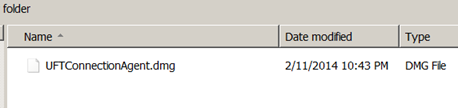
- Copy the UFTConnectionAgent.dmg to your mac machine. Under your
Unified Functional Testing/MSI/HP/Unified Functional Testing/Installation/Safari
Steps to Perform on Your Mac
- On your Mac install the UFTConnectionAgent.dmg
-
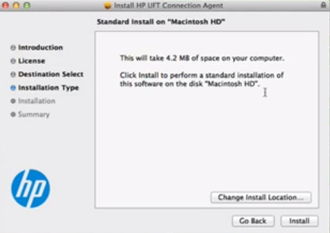
Take the defaults in the HP UFT Connection Agent wizard
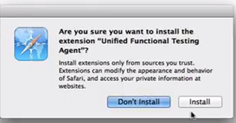
- Click Install if you receive the pop-up message Are you sure you want to install the extension message
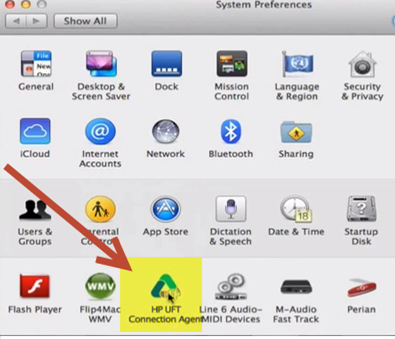
- In your System Preferences you should now have a HP UFT Connection Agent option
-
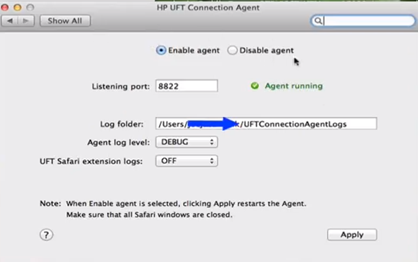
Open the HP UFT Connection Agent. You should have the following options:
- Make sure the Enable agent is selected and the agent is running before you try to connect UFT. For security reasons HP recommends turning on the Disable agent when you are not using it.
- Listening port: this is the port you will use along with your mac’s name or IP to connect UFT
- Log Folder: this is the location where the agent will create log files. Make sure that you have rights to this location
- Agent log level – creates a log file name uftagent.log located in the log folder
- UFT Safari extension logs: this should be turned OFF unless HP request it for troubleshooting issues
- Make sure the Enable agent is selected and the agent is running before you try to connect UFT. For security reasons HP recommends turning on the Disable agent when you are not using it.
- Click Install if you receive the pop-up message Are you sure you want to install the extension message
Cool – so once the agent is installed on your mac machine head on over to your UFT machine.
Steps to Perform on Your UFT machine
- In UFT create a new UFT GUI tests name RemoteMac
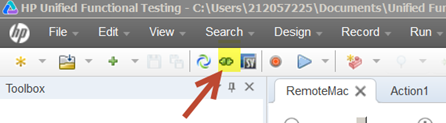
- Click on the Remote Connection button under the UFT toolbar
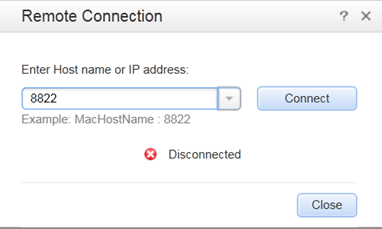
- Enter your mac’s host name or IP address. (To find you mac’s name go to System Preferences>
Sharing. To find you’re your mac’s IP go to System Preferences>Network)
- Click Connect
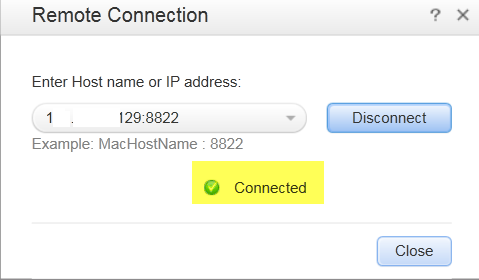
- The host name did not work for me but using my mac’s IP address did. If UFT found the remote machine, a green check mark with the status of Connected should appear.
Create a test to run a UFT tests in Safari on you mac
For a simple example lets create a script that opens up Safari and navigates to my site
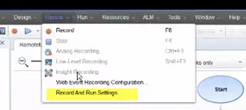
- Under UFT’s Recording menu select Record and Run Settings
-
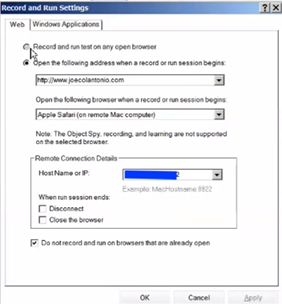
Under the Record and Run Settings enter:
- Open the following address: https://testguild.com
- Open the following browser: Apple Safari (on remote mac computer)
- Remote Connection Details: make sure that your mac’s name or ip is filled in
- Click OK
- Open the following address: https://testguild.com
- Now click Run and watch the magic
- UFT should connect to the mac and bring up joecolantonio.com in Safari.