I think we can all agree that practices like Behavior Driven Development (BDD) are all about conversations and collaboration. But in large groups with many sprint teams spread out across the world, this collaboration can sometimes get derailed.
I’d often struggled with this myself. I have eight sprint teams in different locations with product owners and our users scattered about. It’s been difficult to get collaboration and have conversations around our BDD, because not everyone has access (or knows how to get to) our features and scenarios. We also need to link requirements to our BDD features, which has been a challenge.
Sometimes teams become fixated strictly on their team’s own features, and forget about the features of other teams that may be affected. On top of all that, being able to easily share the status of all our automated BDD test runs with the teams has been difficult.
All this got me thinking that there had to be a way to help my teams better manage their BDD, TDD and ATDD efforts –and as it turns out, there is! I found a new solution called qTest Scenario (by QASymphony) that might be just what folks like myself who find themselves in this situation are looking for.
Introducing qTest Scenario
qTest Scenario is a JIRA plugin that was designed to help you easily manage your BDD/TDD end-to-end workflows, including creating tests and executing them as well as acting as a centralized repository for test results, test defects management and resolution. qTest Scenario was developed with some key team benefits in mind, like:
- Helping your teams work faster
- Increasing productivity and collaboration
- Helping you focus more on your end users
- Helping you scale your test-first efforts across your organization
How it works with BDD
qTest Scenario takes the BDD feature files your teams are already doing in their IDEs and pulls them directly into a common location in JIRA. This has multiple benefits, including having one location where people across your organization can collaborate on your projects’ features and scenarios. You can then leverage the JIRA workflows to easily group your features and run certain batches of tests, which fits in nicely with a DevOps pipeline. You can also track the status of your features at the scenario level over time, since a running history is kept every time a feature file executes a scenario.
Having all your features in JIRA also frees the scenarios from the developers’ IDEs and allows the team to better focus on the end user. It also helps reduce scenario duplication creep that can happen in large teams.
For example, some of the features our team works on include scenarios that have already been covered in another team’s feature. Duplication is not good, because it increases our test run time and adds overhead to our test maintenance efforts. Using qTest Scenario, however, lets us easily query all our feature/scenarios and determine whether a particular example has already been covered.
Test Management
Another benefit I can see of using qTest Scenario is better overall test management, because it enables you to utilize JIRA’s easy-to-use reports, which makes sharing your teams’ testing progress within each sprint visible to your entire organization. I don’t know about you, but this is a quite an improvement over my current, time-consuming manual process of emailing every team the results of our nightly BDD test runs, then manually creating a results history in our project’s Wiki.
Simple Example
Let’s take a look at a simple example to get a feel for how the qTest Scenario solution works:
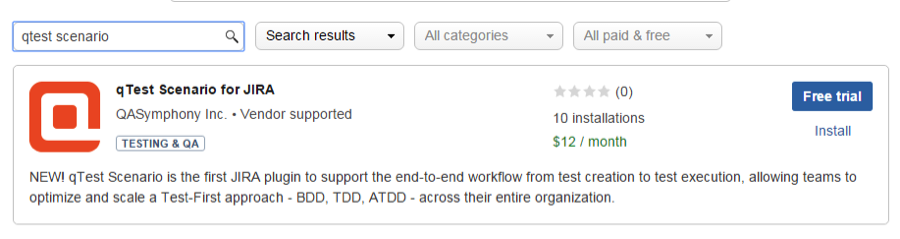
- You’ll first need to install the qTest Scenario for JIRA plugin.
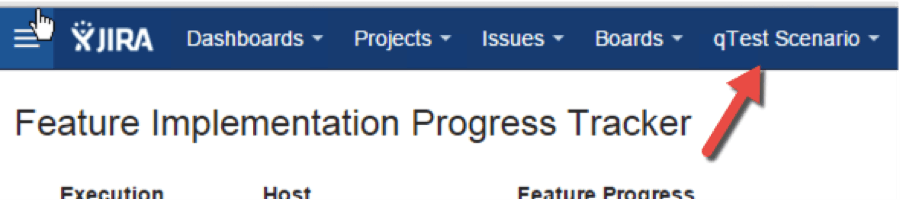
- Once it’s installed, you will see a new qTest Scenario dropdown in your JIRA project.
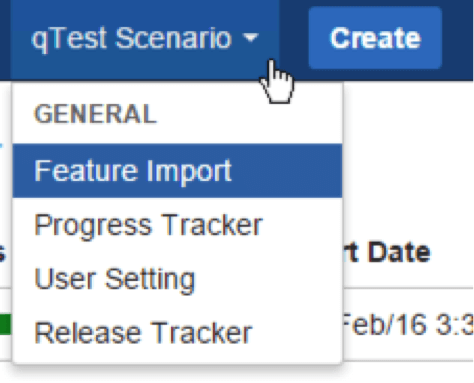
- You can create your features and scenarios directly in JIRA, or you can import your existing features. Let’s import a feature.
- Click on the qTest Scenario>Feature Import
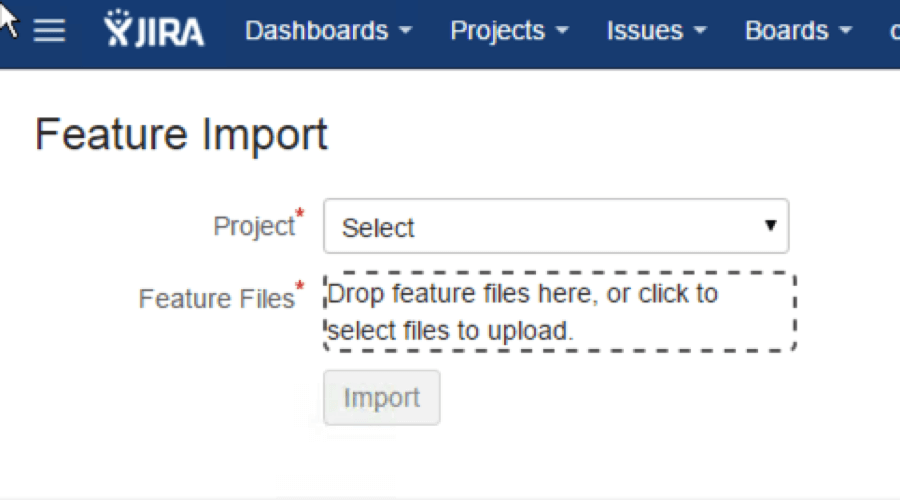
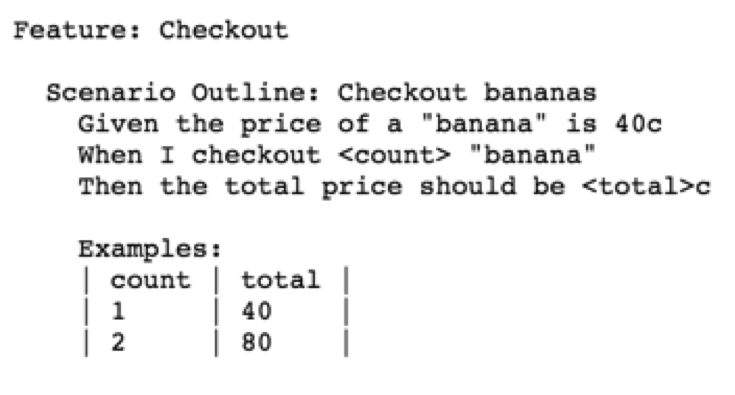
- From the Feature Import page, you can select the project and features you want to work on. For this demo I’m going to use the feature example from The Cucumber for Java book as a starting point.
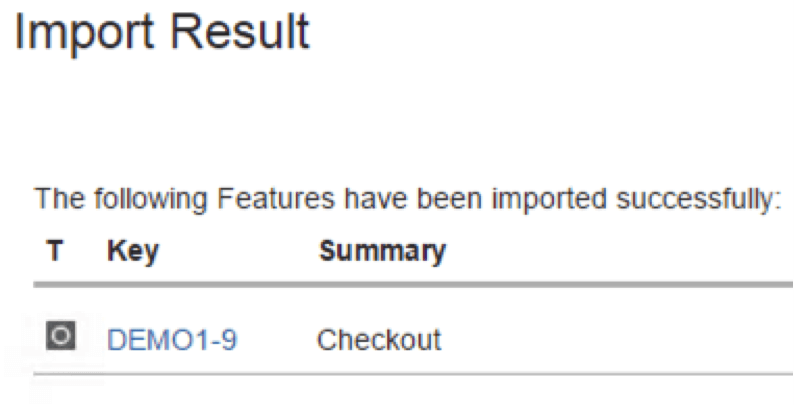
- Once you’ve imported, it will automatically give your feature file a key with a summary taken from your imported feature. In this case the key would be the name of your project — which for me is DEMO1-9 — and a summary, which is Checkout.
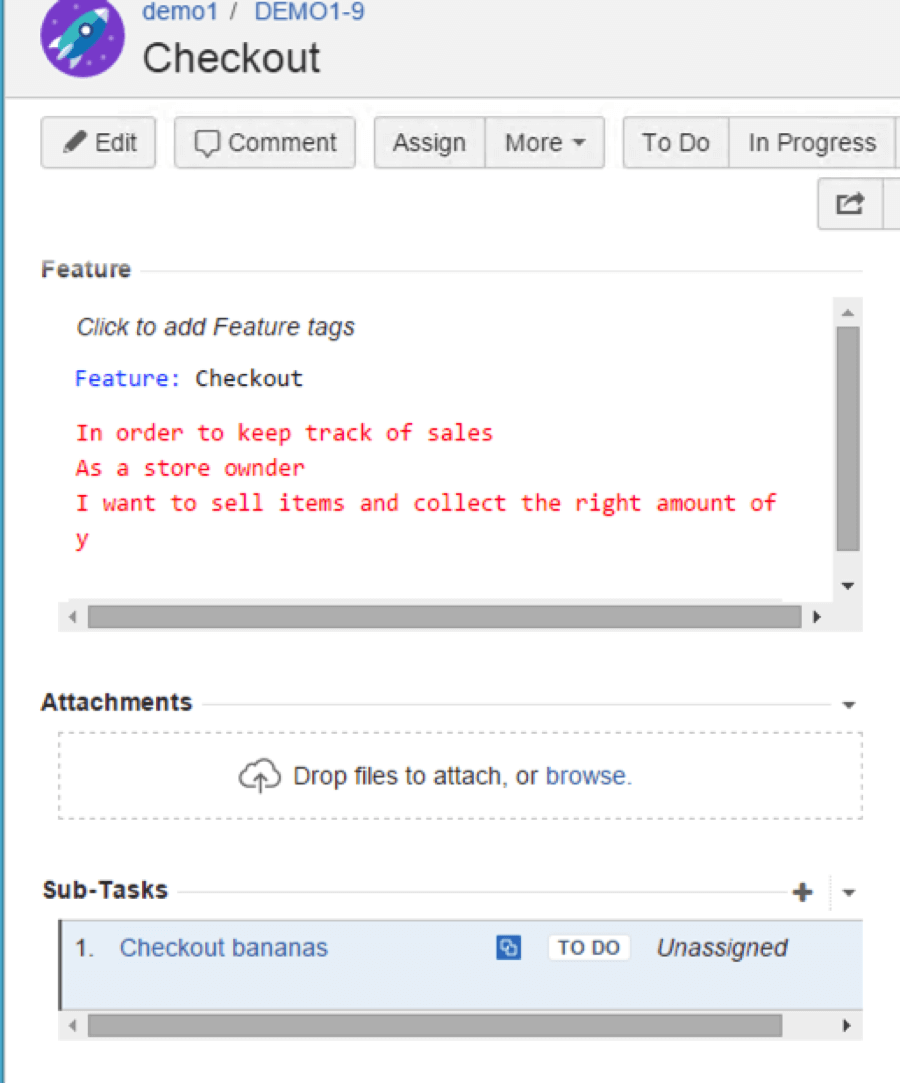
- JIRA will automatically map the feature file to a parent issue and the scenarios to sub-tasks. What’s also cool is that you can edit your feature and scenarios directly in Jira using the syntax editor. That means that if you try to enter invalid Gherkin syntax it will actually call it out in red, which will prevent you from actually making those changes to the Gherkin and doing something you shouldn’t.
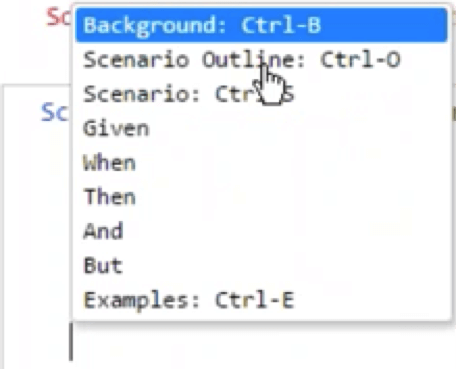
- You also have the ability to use one of these dropdown menus so you can add in different things, like the scenario outline or an example table to data drive your scenario.
- Once you have everything configured in JIRA, it’s time to run — so let’s open our project in Eclipse.
- My project doesn’t currently have the Checkout feature that I imported into qTest Scenario in JIRA.
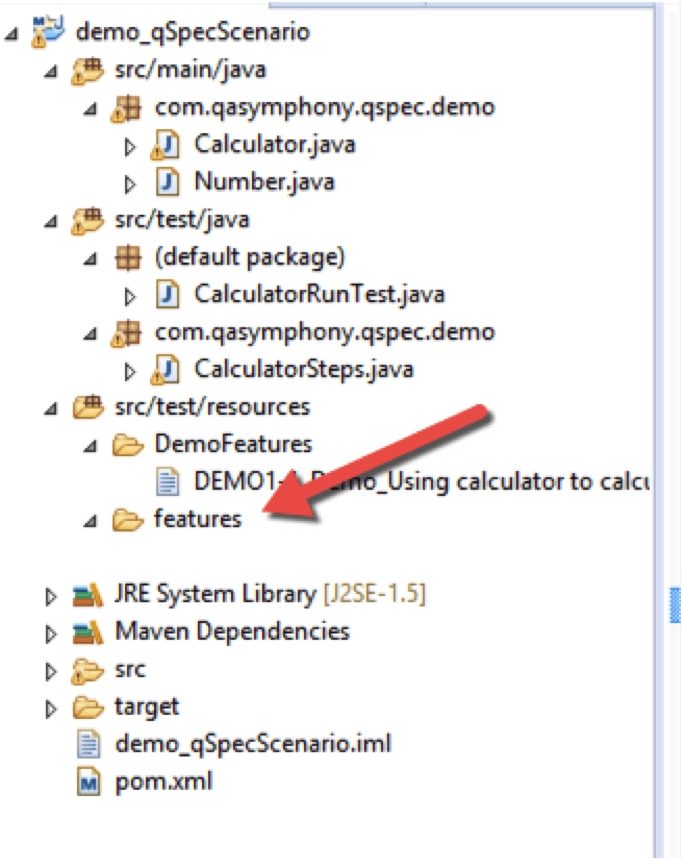
- To import a feature into your project, you can do a number of things from the Maven POM file. Since I already have a Maven project set up, I’m going to open up my POM file. qTest gave me the following settings to copy and paste into my POM file, which allows me to point to qTest Scenario:
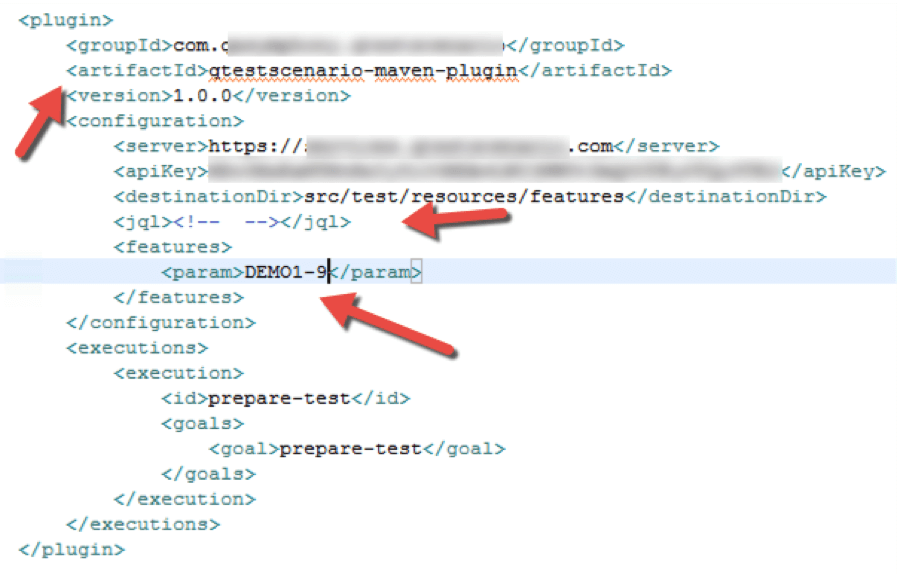
- There are several options you can set here. The easiest is to pass a parameter under the “features” tag of the feature that you want to run. Since my new feature issues id is DEMO1-9, I’m going to add that, so when I run it will only run that one feature file. You can also get a little fancy and specify a JIRA query language (JQL) string under the JQL tag, but I want to keep it simple so I’ll just pass it my feature parameter.
- Once you have your POM file configured, open a command line and type the following maven command: mvn qtestscenario:prepare-test
- This will run the execution step in our POM file and bring down the DEMO1-9 feature file that I specified in my features tag parameter.
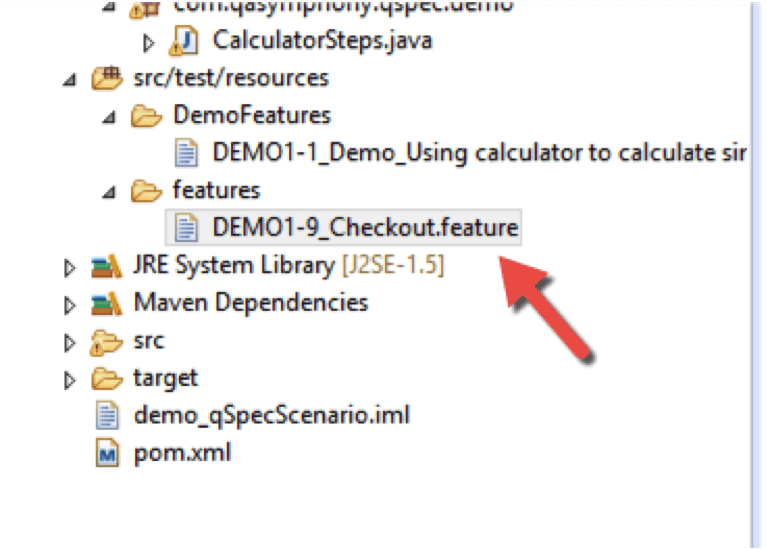
- Now when I run the project as a Maven test and go into JIRA I can see the run results for my scenario.
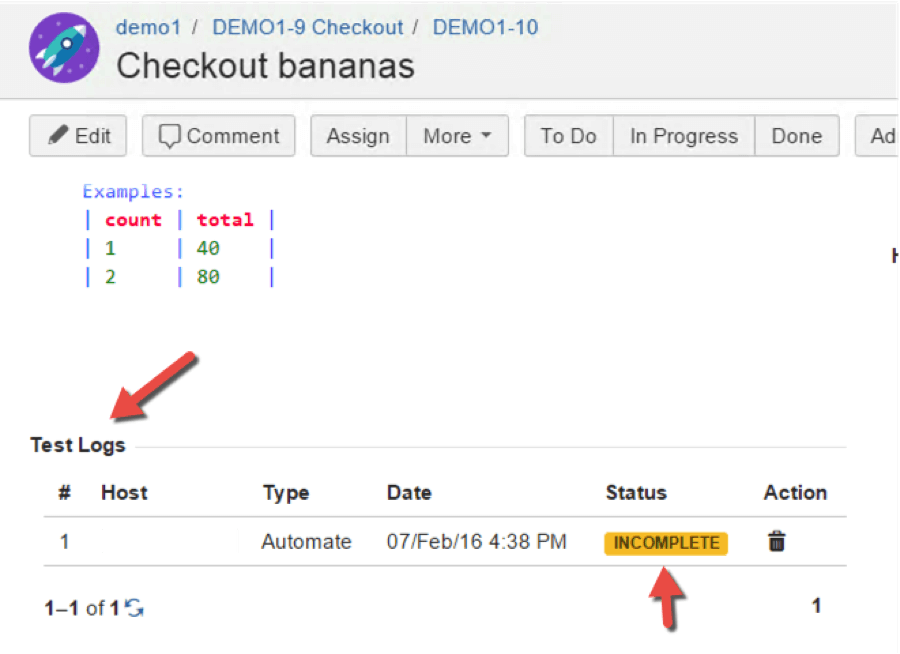
- Because I didn’t create any code in my step definitions for this scenario, it shows an incomplete status. If it did have code it would have shown a status of either Pass or Fail. Additionally, each time you run your test it will keep a running history of that scenario’s status over time. This is very handy for identifying flaky tests that need to be worked on.
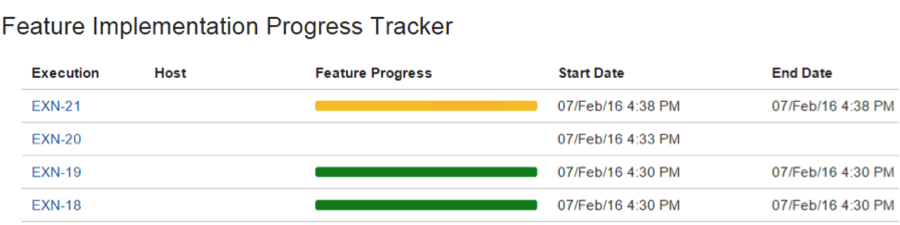
- You can also track your team’s progress with the Progress Tracker.
qTest Scenario is a brand new product, and as far as I can tell from my research, a unique solution for a problem I don’t currently see being addressed by any other vendors. The great thing about being an early adopter of a product is being able to influence the direction of the vendor’s roadmap by asking for functionality that is important to your teams needs.
For example, I asked them about the ability to version control the scenarios (by tying changes to the versions in the code) and was told that was actually one of the top features that was requested when demoing it to customers, so QASymphony does have it on their roadmap for a future release.
Right now, out-of-the-box qTest Scenario supports Cucumber for Java with Maven. qTest Scenario does have an API that would enable users who don’t use Cucumber/Java/Maven to allow them to develop a custom integration for their automation solution into qTest Scenario as well. I am told that upcoming plugins will include Cucumber for Java using Gradle, as well as python, ruby, and SpecFlow integrations based off of customer demand.
My Recommendation
Given this was launched around a month ago, and still seems like a concept product with limited out-of-the- box reporting options, I think this is a great first iteration of qTest Scenario, and I can only see it getting better. I think qTest Scenario would really help give your BDD efforts visibility from development to testing.
My recommendation is that if you’re looking for a solution that helps you to manage your BDD efforts, especially in an enterprise-wide environment, I would seriously consider taking a look at qTest Scenario for your BDD, TDD or ATDD projects.